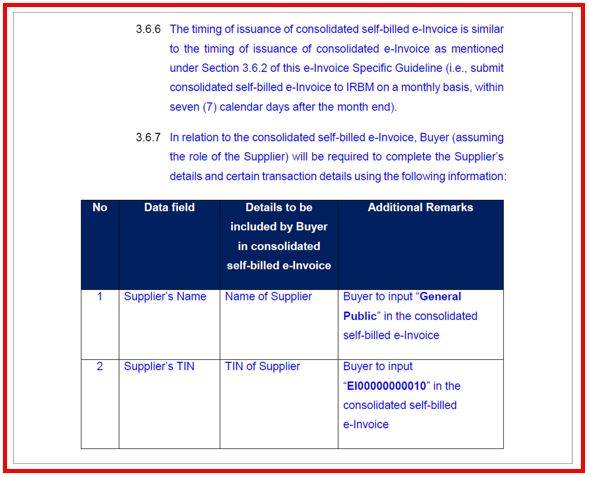
02. HOW TO PERFORM CONSOLIDATE SELF-BILL E-INVOICE IN AUTOCOUNT ACCOUNTING?
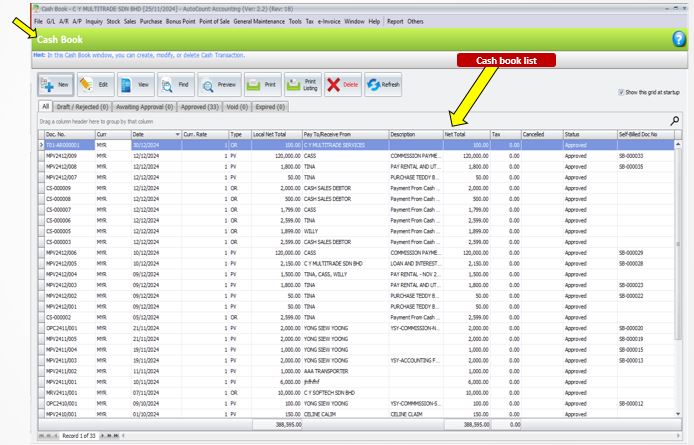
Cash book Payment Vouchershad been created to pay commission to agents, you will need to perform consolidate self-bill for these expenses.
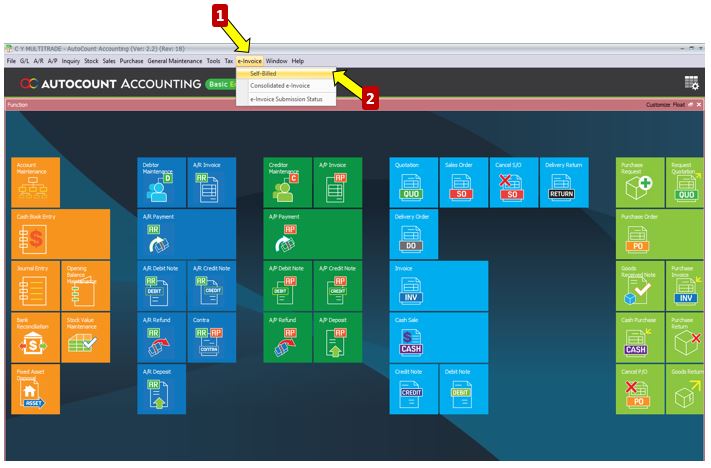
1) Click on E-Invoice Menu
2) Click on Self-Billed function
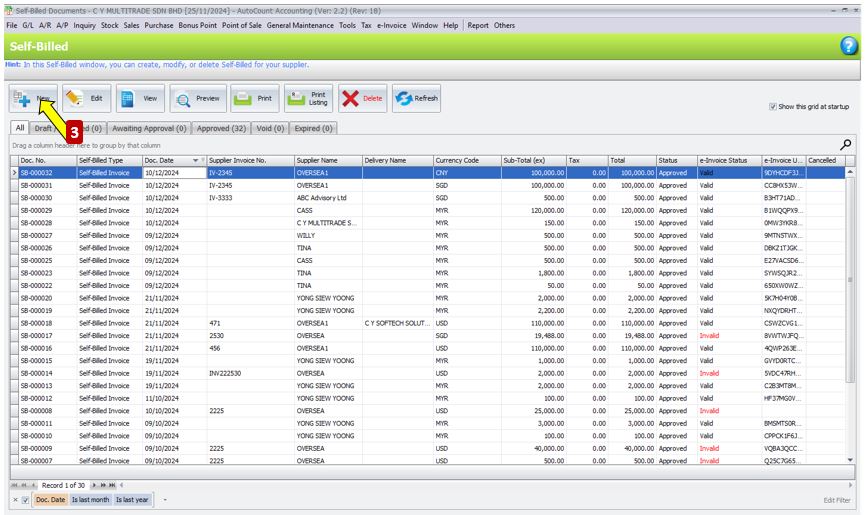
3) Click New to create Self-bill
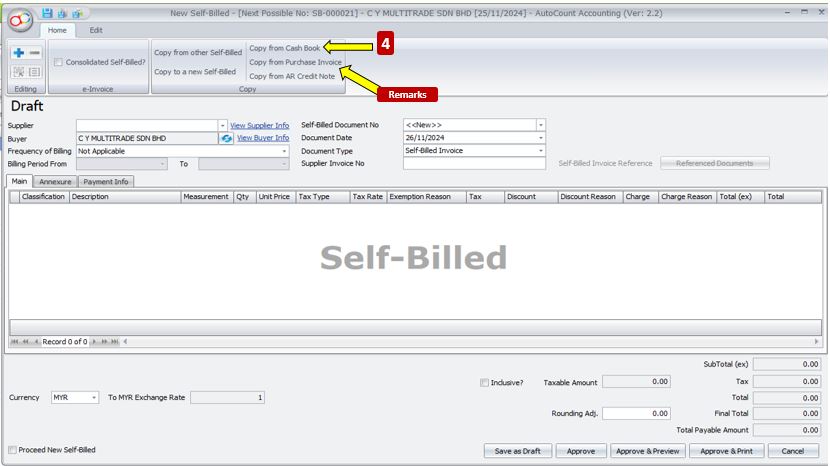
4) Click on Copyfrom Cash Book
REMARKS
Depending on scenario, you might need to copy from Purchase Invoice or AR Credit Note for other scenario.
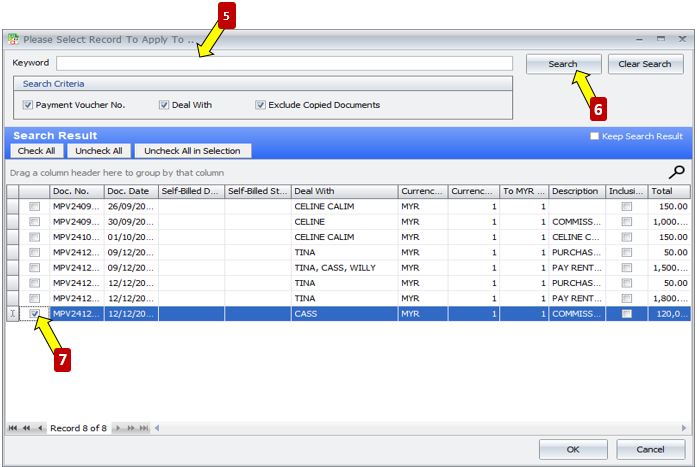
5) Key your keyword and clickSearch
6) Search results will be displayed and you may
7) Tick on the Payment Vouchersthat you wish to self-bill
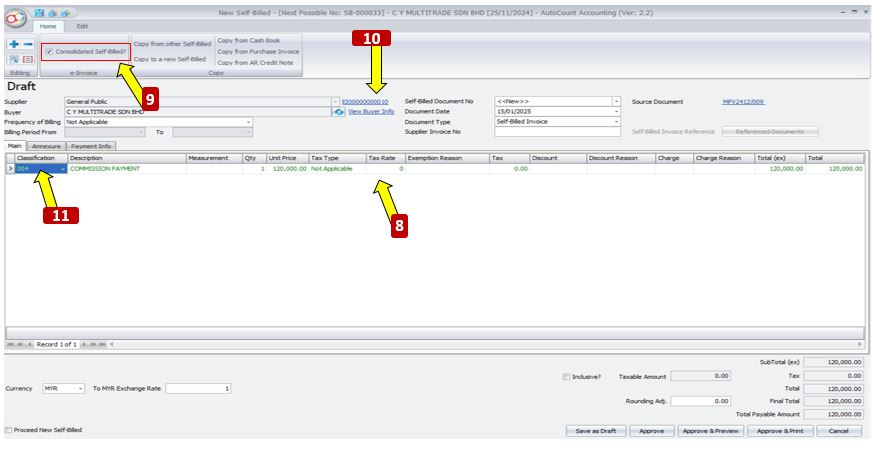
8)Payment Vouchers info will be copied into self-bill details
9) Tick on Is Consolidate to make this self-bill into Consolidated Self-Bill
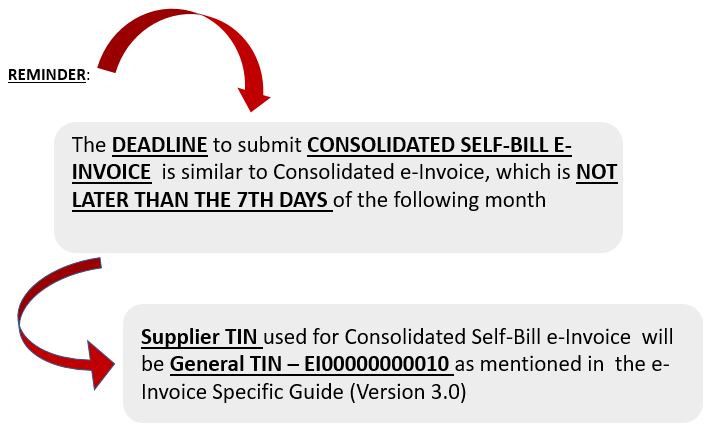
10) Supplier TIN will automatically change to General Public TIN
11)Classification will automatically change to 004Consolidate e-Invoice
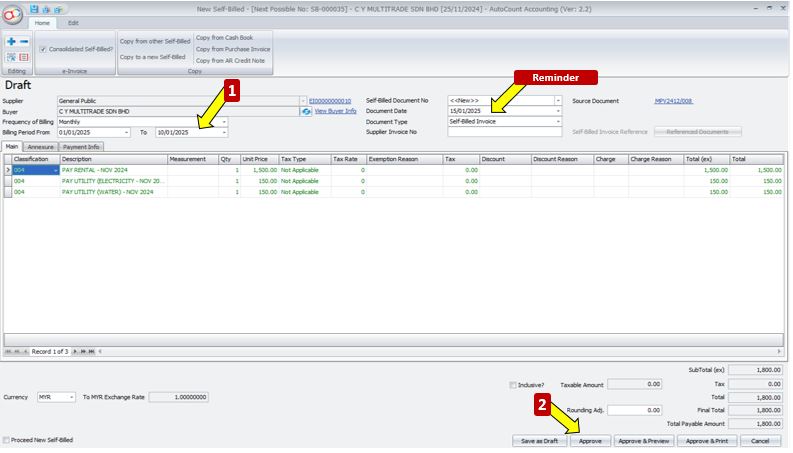
(OPTONAL BUT RECOMENDED FOR EASY REFERENCE)
1) Set your Frequency of Billing and Billing Period
2) Click Approve to save this Consolidated Self-Bill
Your Consolidated Self-Bill will then undergo submission, you can check the status from this column
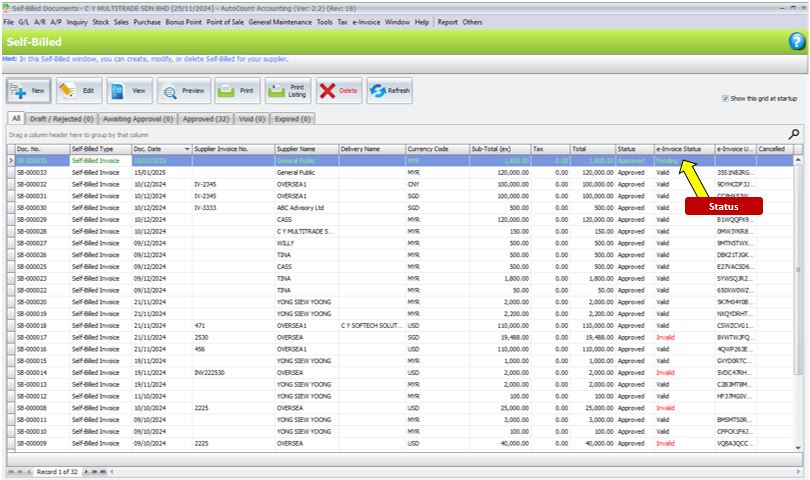
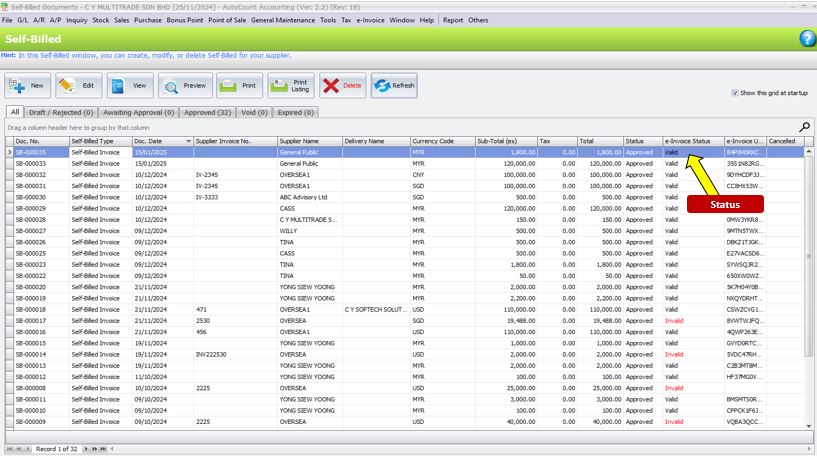
After a moment, you may refresh and see if your Consolidated Self-Bill is validated
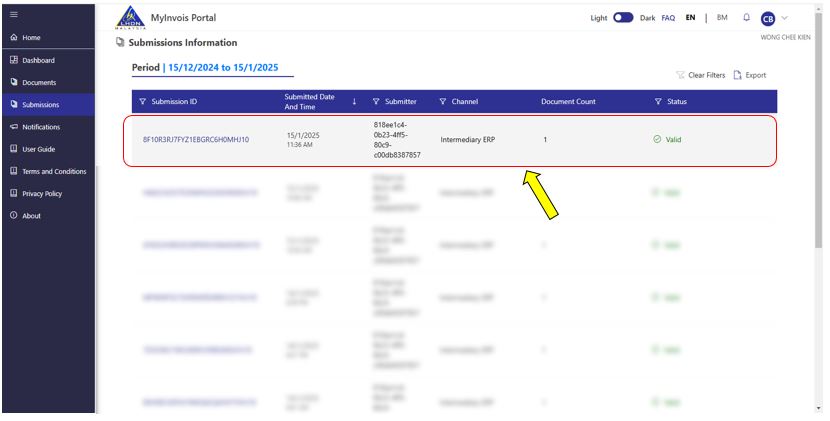
Meanwhile in your MyInvois Portal, you should be able to see this record as well
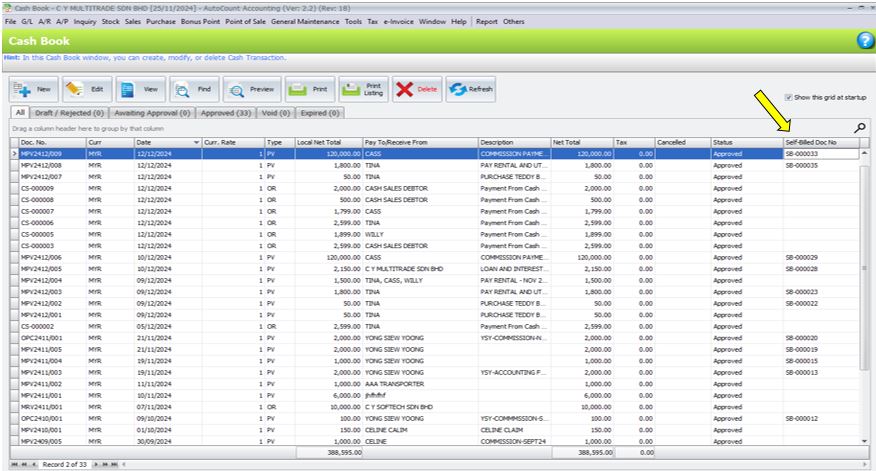
You can check from Cash Book Payment Voucher to which Self-Bill document it is copied to Self-Billed Doc No
ADDITIONAL INFORMATION: