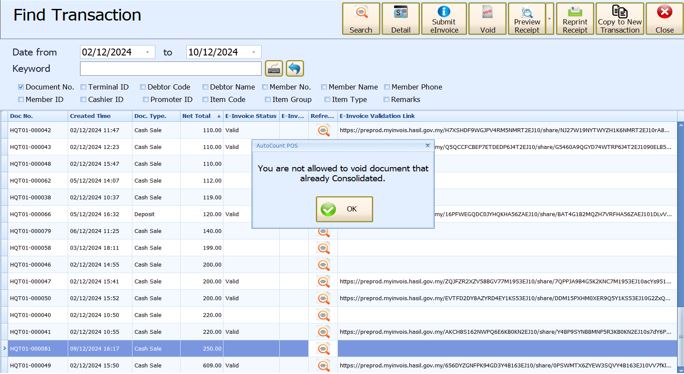
01. HOW TO DO POS CONSOLIDATE E-INVOICE?
Enter your item and then proceed to make payment.
Do not tick “QRSubmission” nor “SubmitE-Invoice?” in customer information in this case.
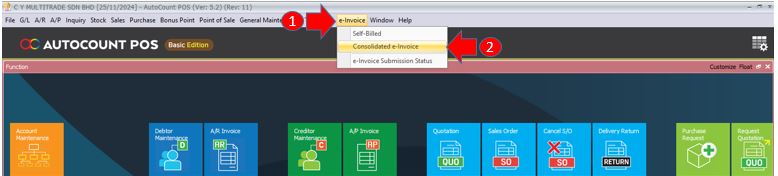
1) Next go tobackend>e-Invoice
2) Click on Consolidate e-Invoice
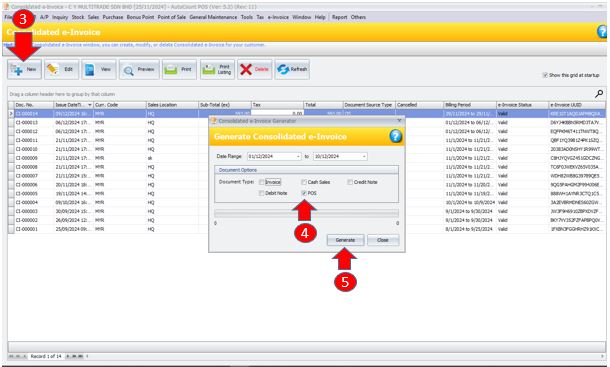
3) Click “New”
4) Then tick on “POS”
5) Click generate
System will generate an e-Invoice from transaction which are in consolidate state.
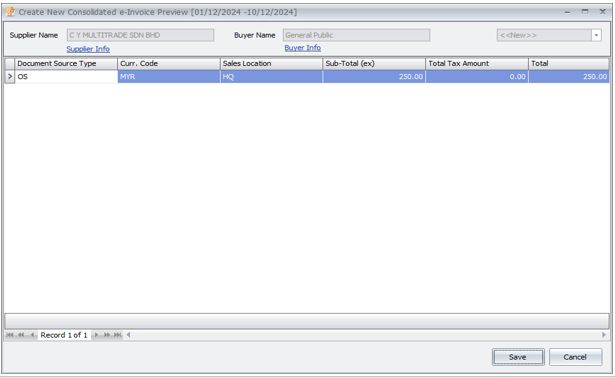
You can check the details of the e-Invoice by double clicking on it.
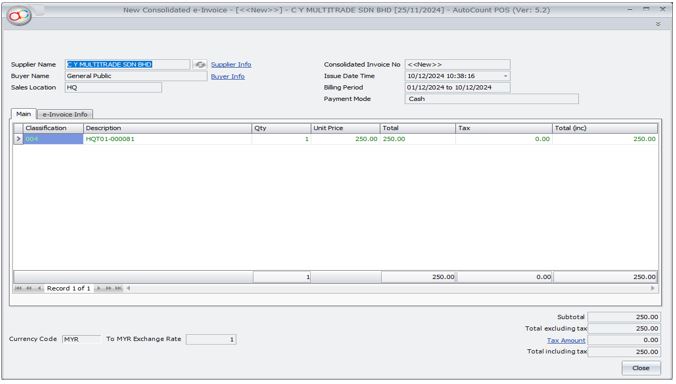
After that click on “Save” and then wait for the system to validate with MyInvois.
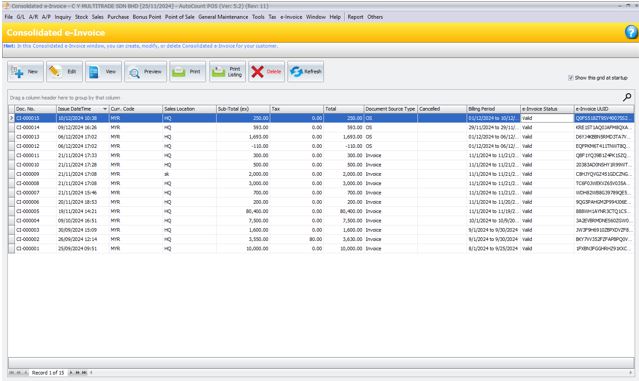
You have successfully submitted consolidate e-Invoice.
Transaction that had generated consolidate will no longer be able to void nor submit again.